



Luxury Suite Camera Access – Download the App!
Stay connected to your pet — even before check-in!
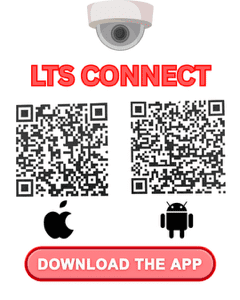
To view your pet’s Luxury Suite camera during their stay, please download the LTS Connect app in advance using one of the QR codes below. This helps speed up your check-in process and gets you viewing your pet even faster.
1. Download the LTS Connect App
- For iPhone (App Store): Scan the QR code on the left with your phone’s camera to download.
- For Android (Google Play): Scan the QR code on the right with your phone’s camera to download.
2. Camera Access Activation
- Camera access will be activated by our team on the day of check-in and is available only for Luxury Suite reservations.
- Once activated, you’ll be able to view your pet’s suite directly through the app.
- Questions or Need Help? Our team will be happy to assist you during check-in.
- Feel free to reach out anytime.
!Social Media Icons